The product, step by step
Real screens from the running staff console, notice pipeline and resident portal, loaded with synthetic data for a fictional Demo County. Follow a day's work from the dashboard to a print-ready batch the county mails, then see what residents see.
Open the live resident portal → (English and Spanish)
Start the day on the dashboard
Each morning the Recorder index and Assessor file have already been processed. The dashboard shows what came in, what is waiting for the next batch, and what needs a person.
- Open exceptions grouped by days left on the 30-day clock
- Reconciliation proves every recorded document was accounted for
- Missing or late files are flagged
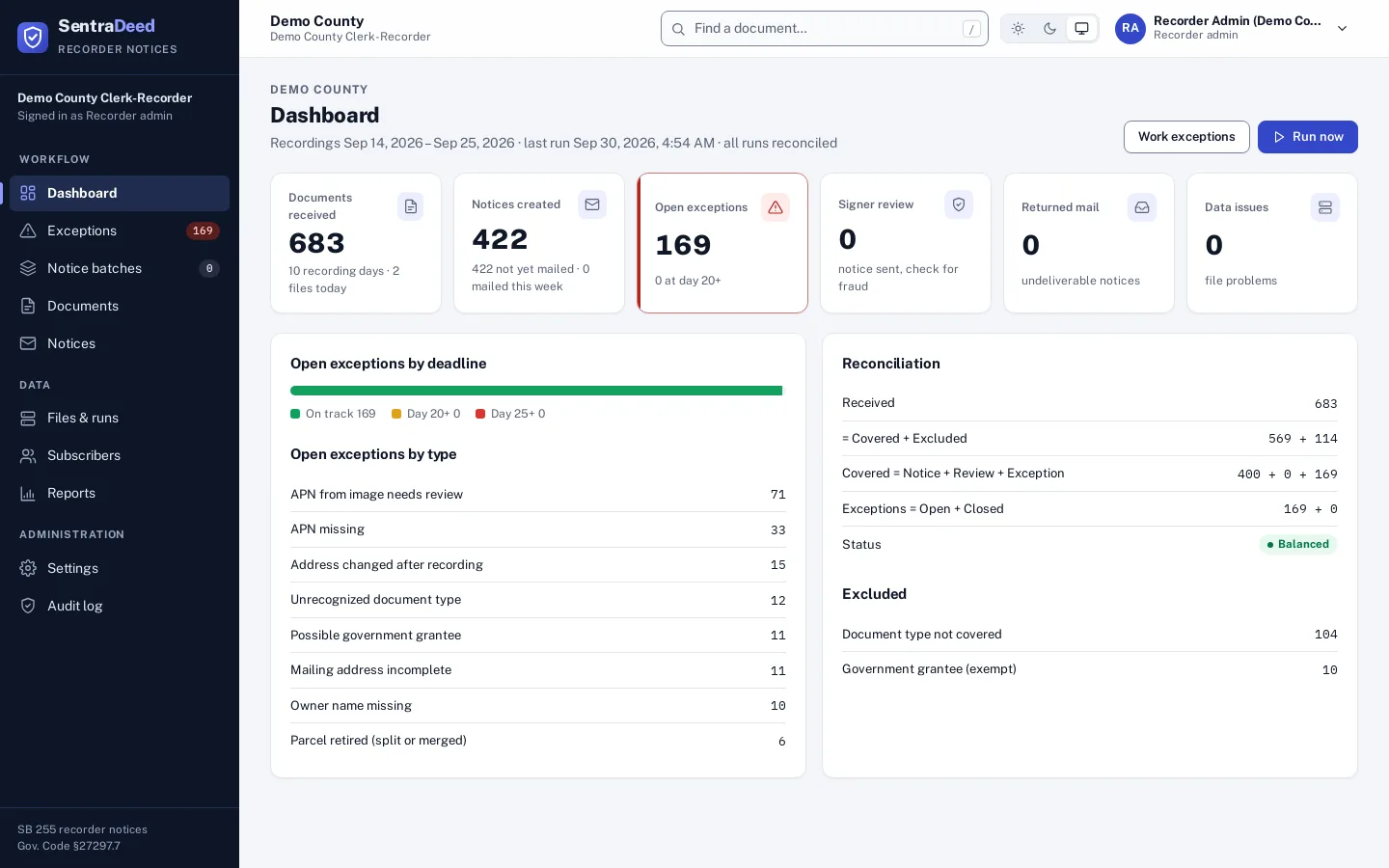
Start the day on the dashboard
Each morning the Recorder index and Assessor file have already been processed. The dashboard shows what came in, what is waiting for the next batch, and what needs a person.
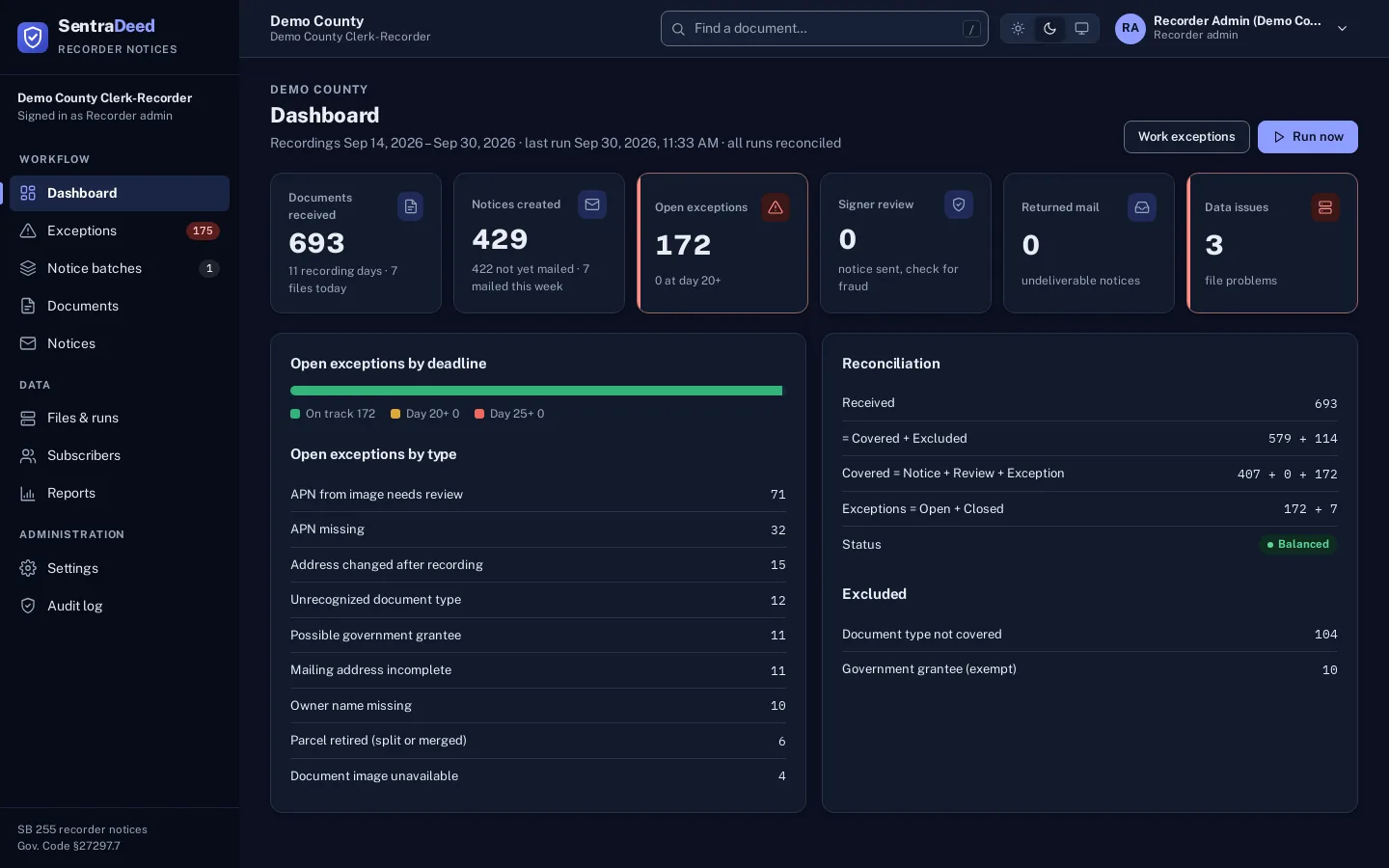
Dark mode
The console follows the system light or dark setting, or staff can pick a theme in the top bar.
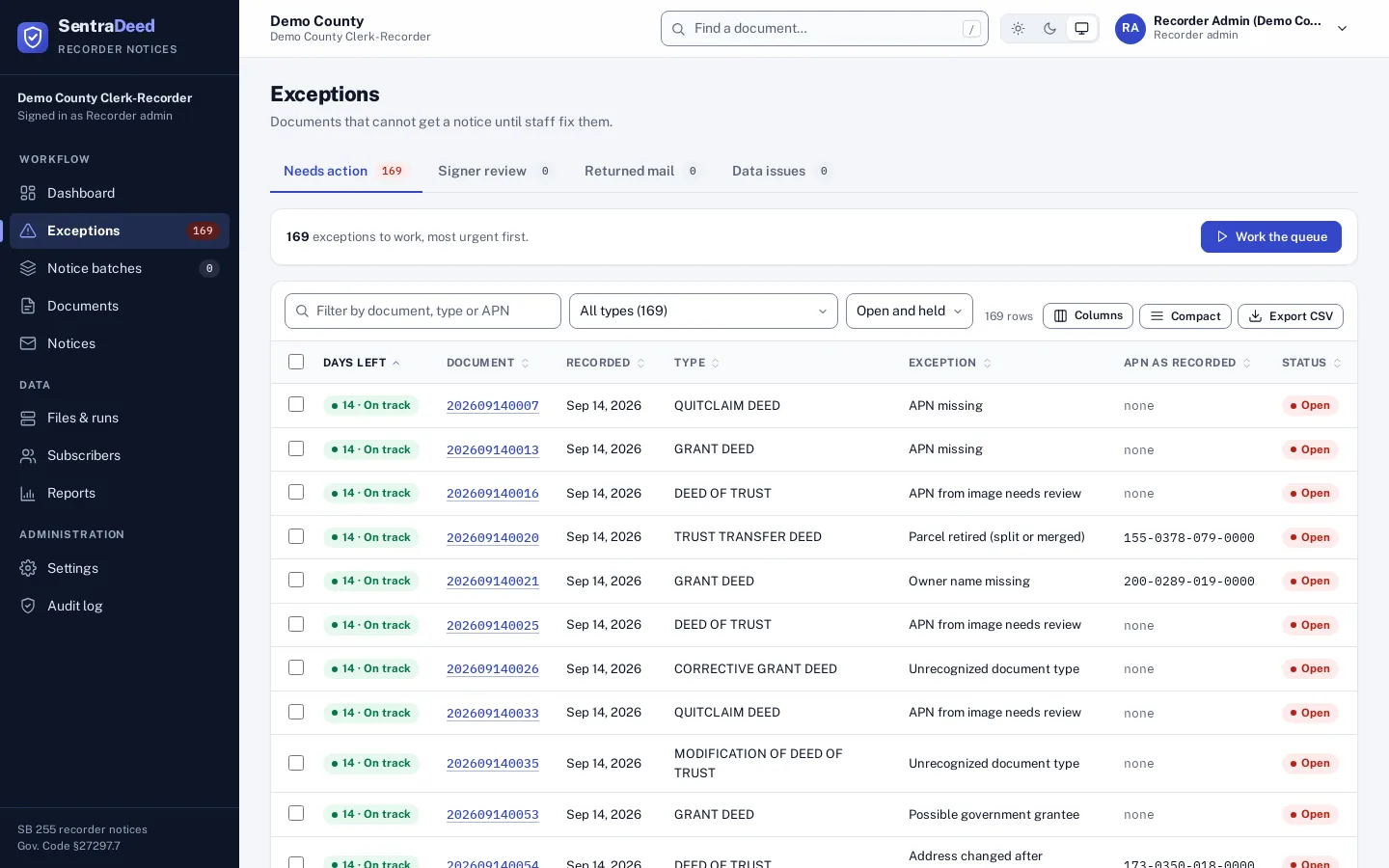
Work the exceptions, most urgent first
Anything that cannot be matched cleanly lands in one of four queues, sorted by the days left before the notice is due.
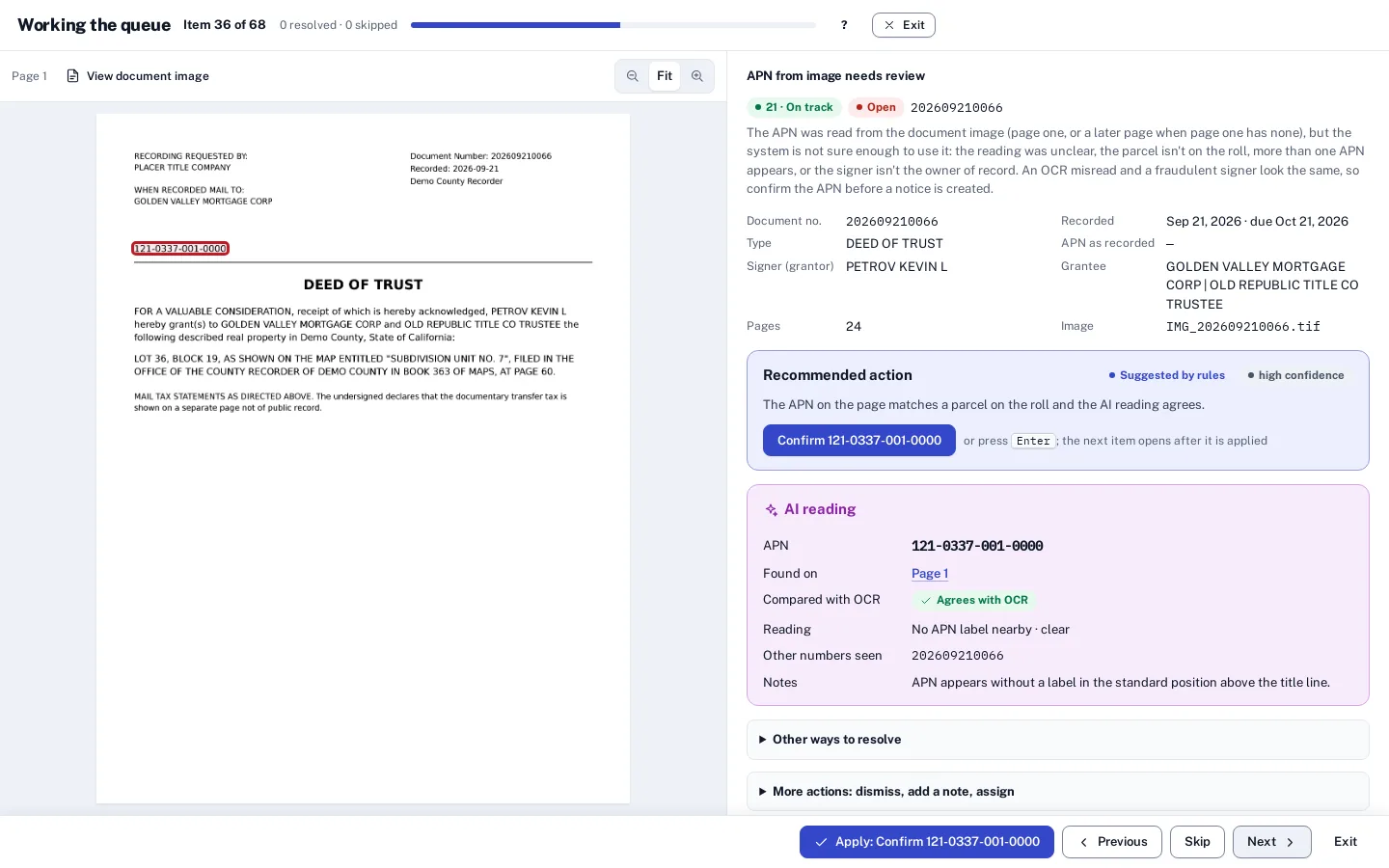
Work the queue, full screen
One item at a time on a full screen: the document page on the left, facts and the recommended action on the right, and an action bar at the bottom. Apply the recommendation in one click and the next item opens.
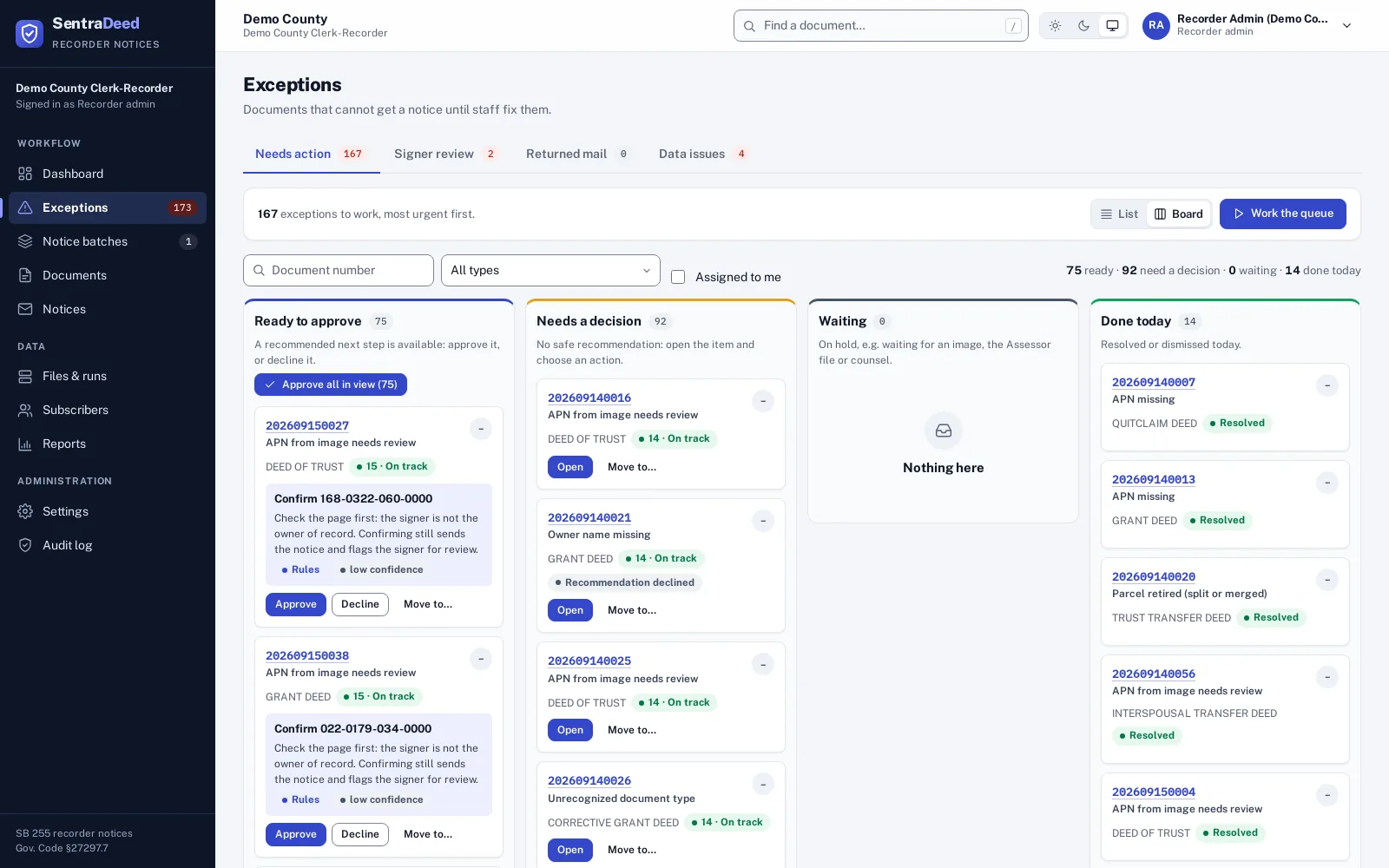
Exceptions board
Cards are grouped by what staff can do next. A recommended step can be approved in one click; Decline keeps the item open for a person and never dismisses a notice. Click a card for full details.
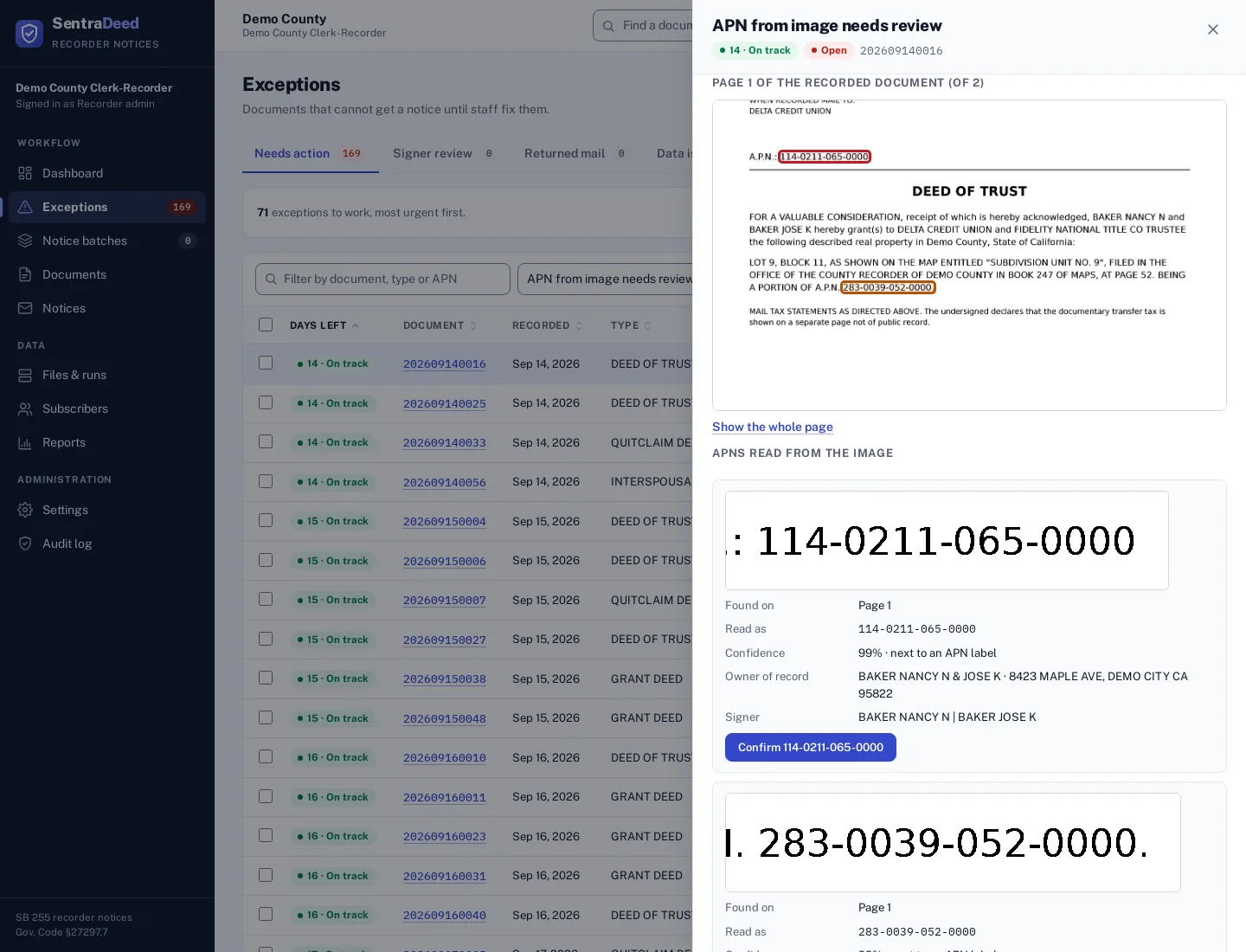
Read the APN from the document image
When the Recorder index has no APN, SentraDeed reads it from the page: page one first, then later pages up to 10. Uncertain readings come to staff with the page shown and the APN outlined.
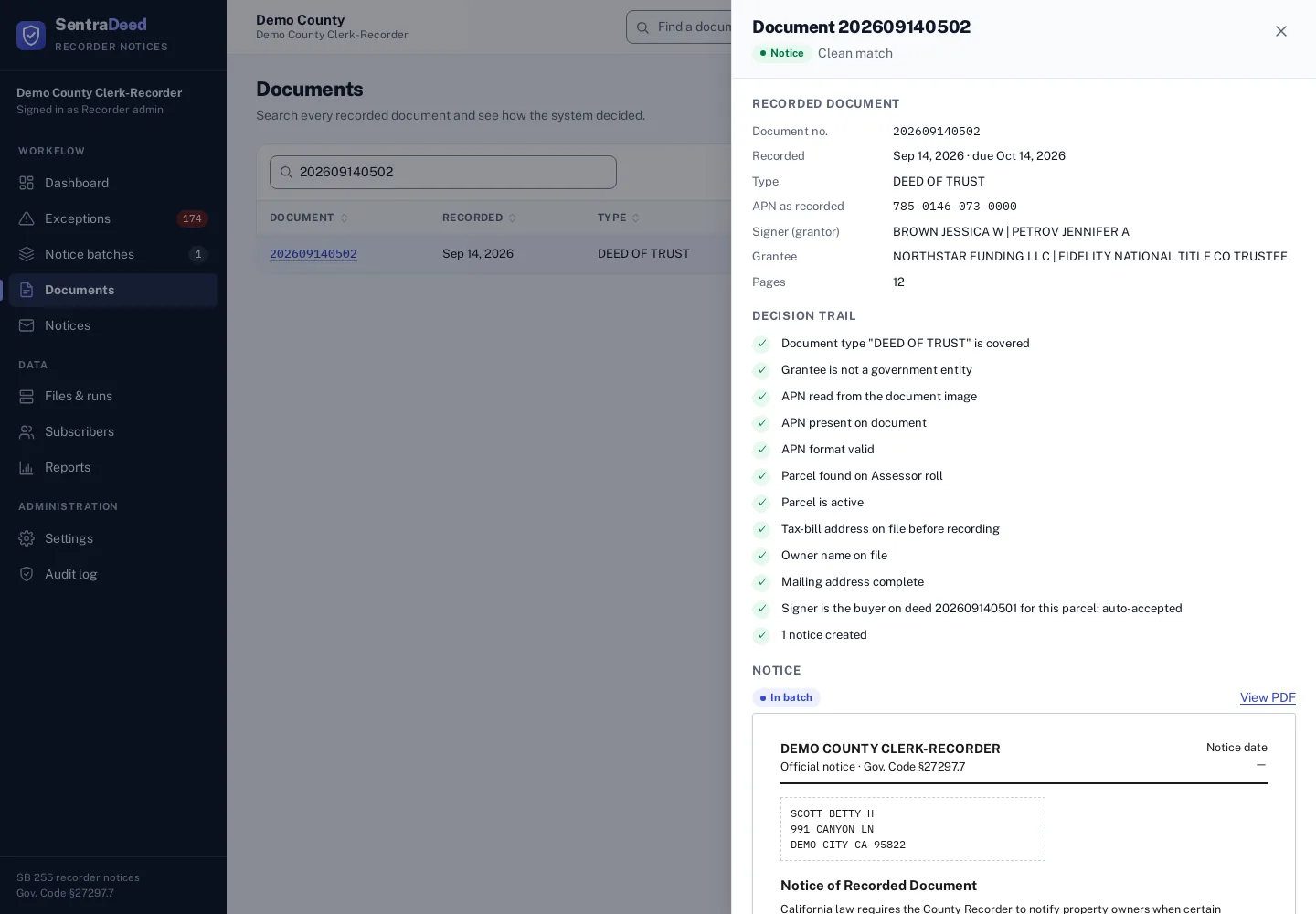
Signer checks without false alarms
A purchase: the deed of trust signer isn’t on the roll yet, but they are the buyer on the same-day grant deed, so the notice goes out without a false alarm.
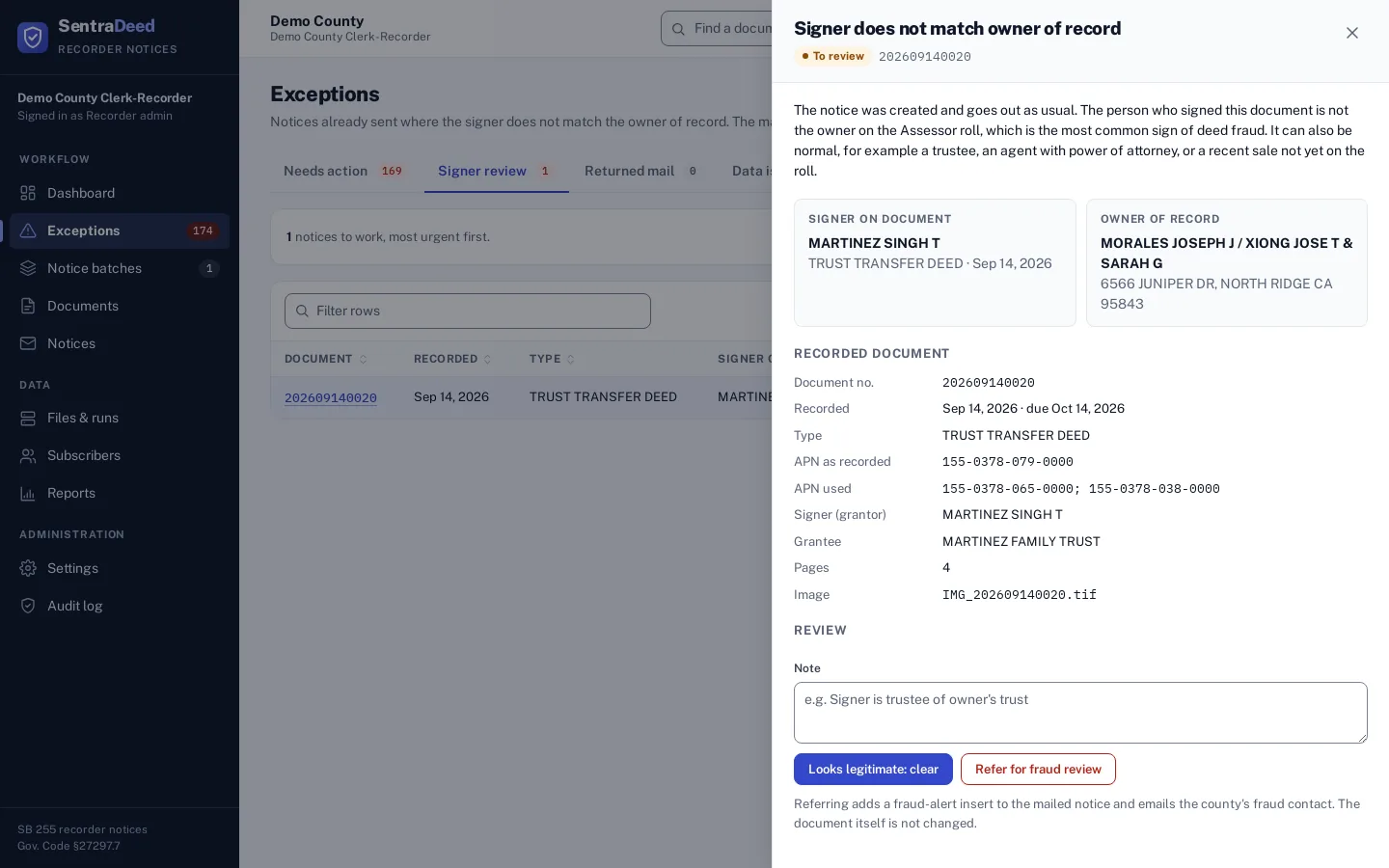
Review signers that stay unexplained
Companion purchase deeds, trustees and trusts, business names, attorneys-in-fact, executors, conservators and nicknames are recognized automatically. Signers who remain unexplained are flagged for fraud review, and the notice still goes out.
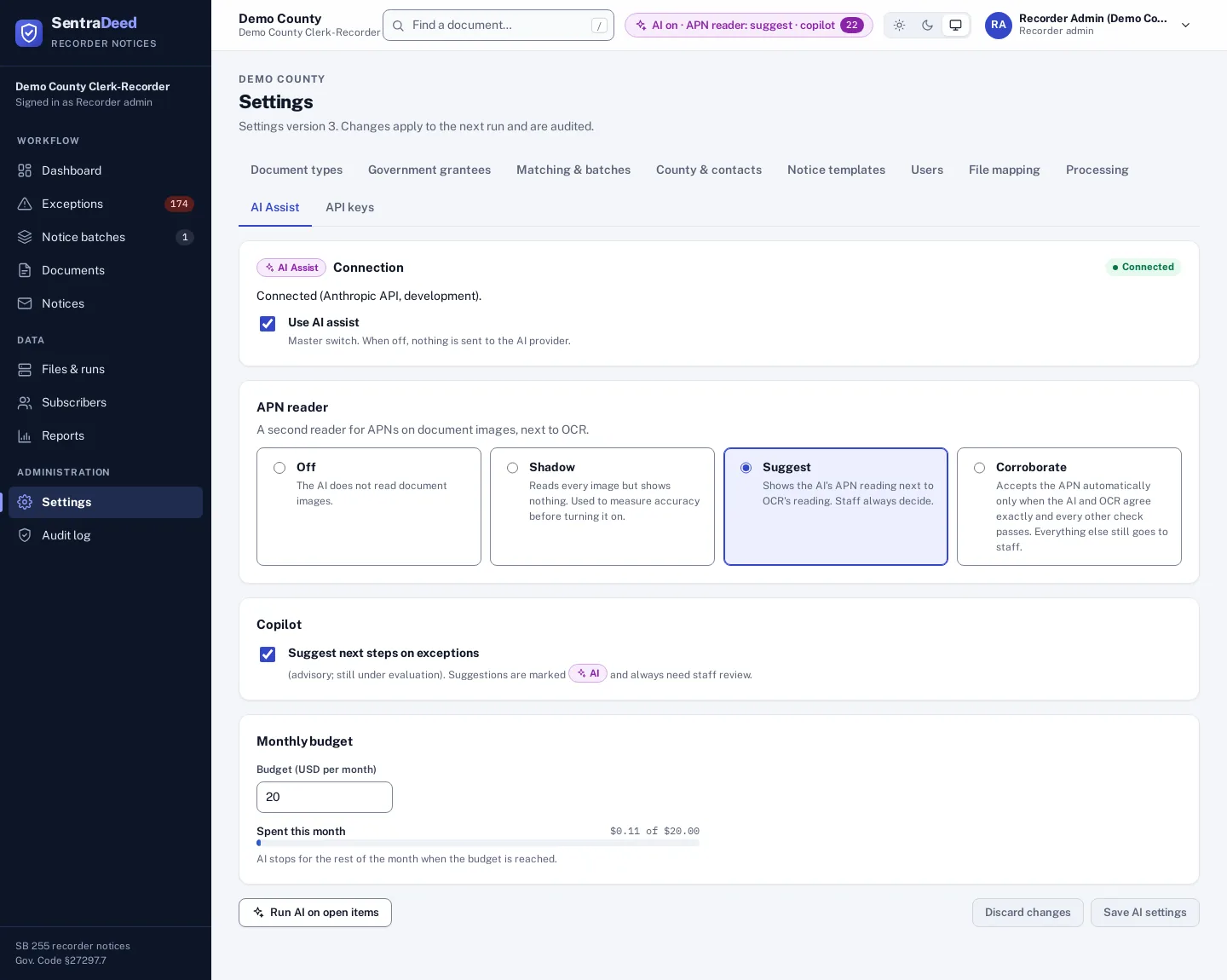
Counties turn it on and choose how far
AI Assist is optional and off by default; counties turn it on. AI never decides alone: staff review every suggestion. The APN reader runs in off, shadow, suggest or corroborate mode, with a monthly budget.
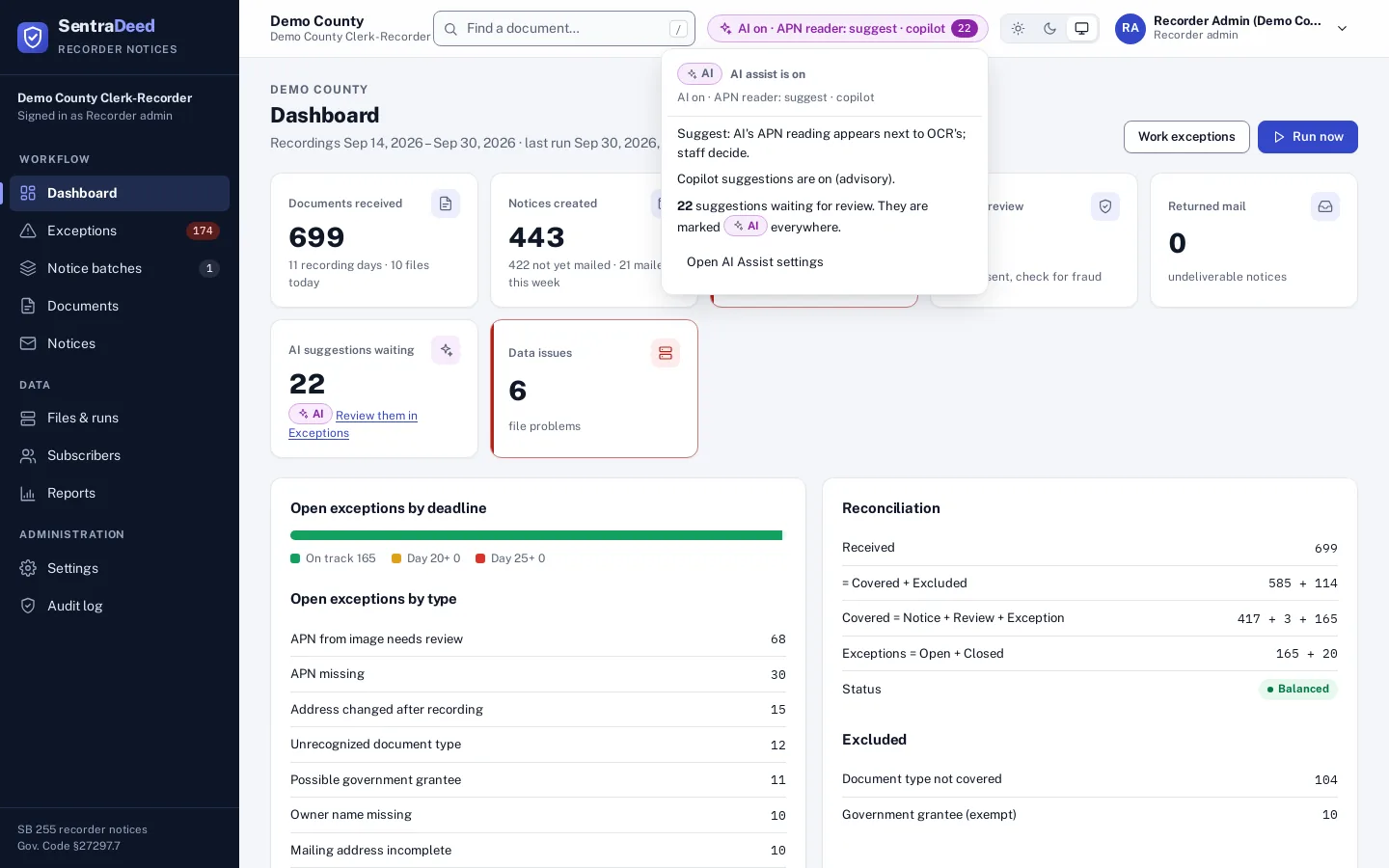
Always visible when AI is on
A top-bar indicator shows whether AI is on and in which mode, and how many suggestions are waiting for review.
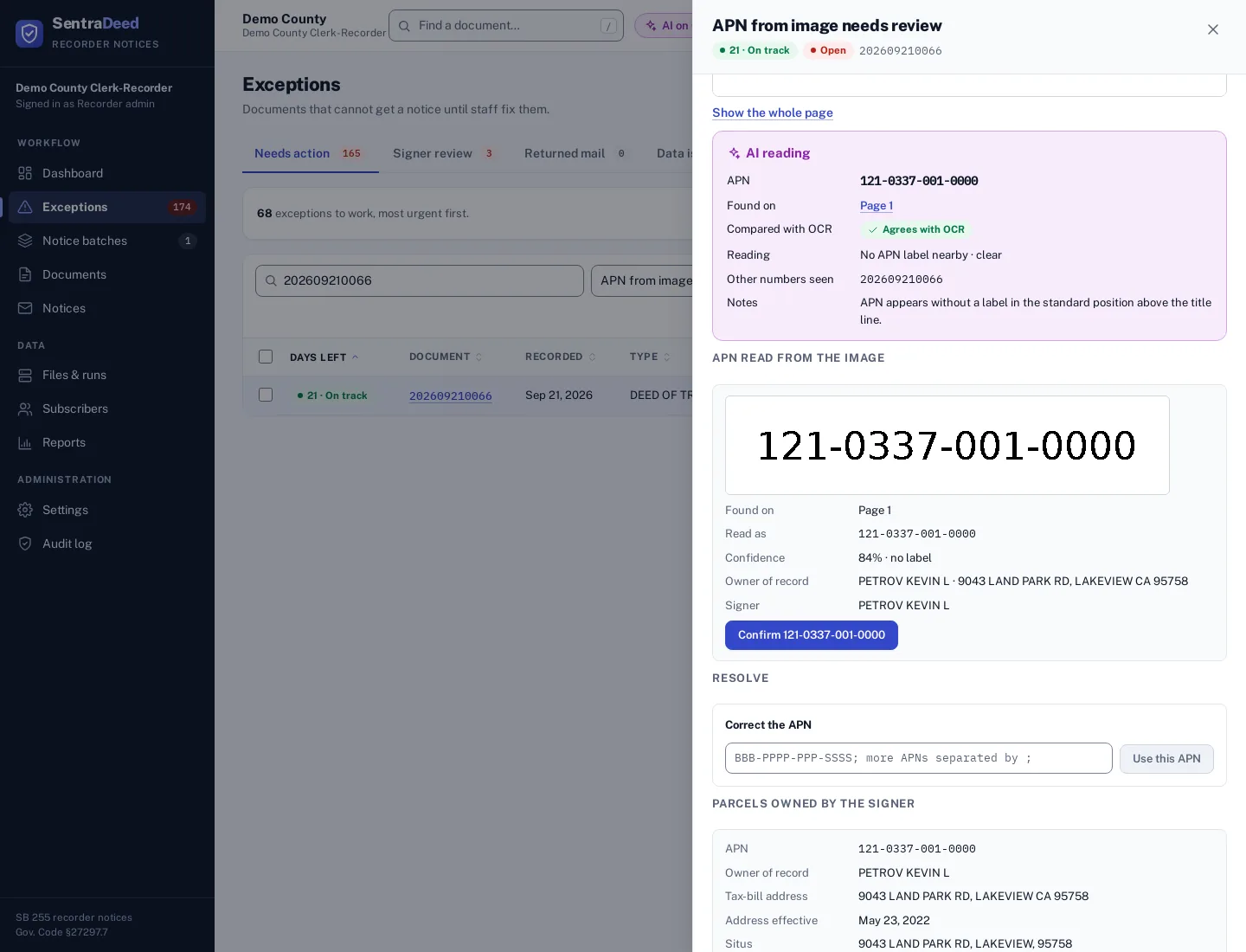
A second reader next to OCR
The APN second reader reads the page on its own and is compared with OCR. Here it agrees with OCR on an unlabeled APN; staff still confirm.
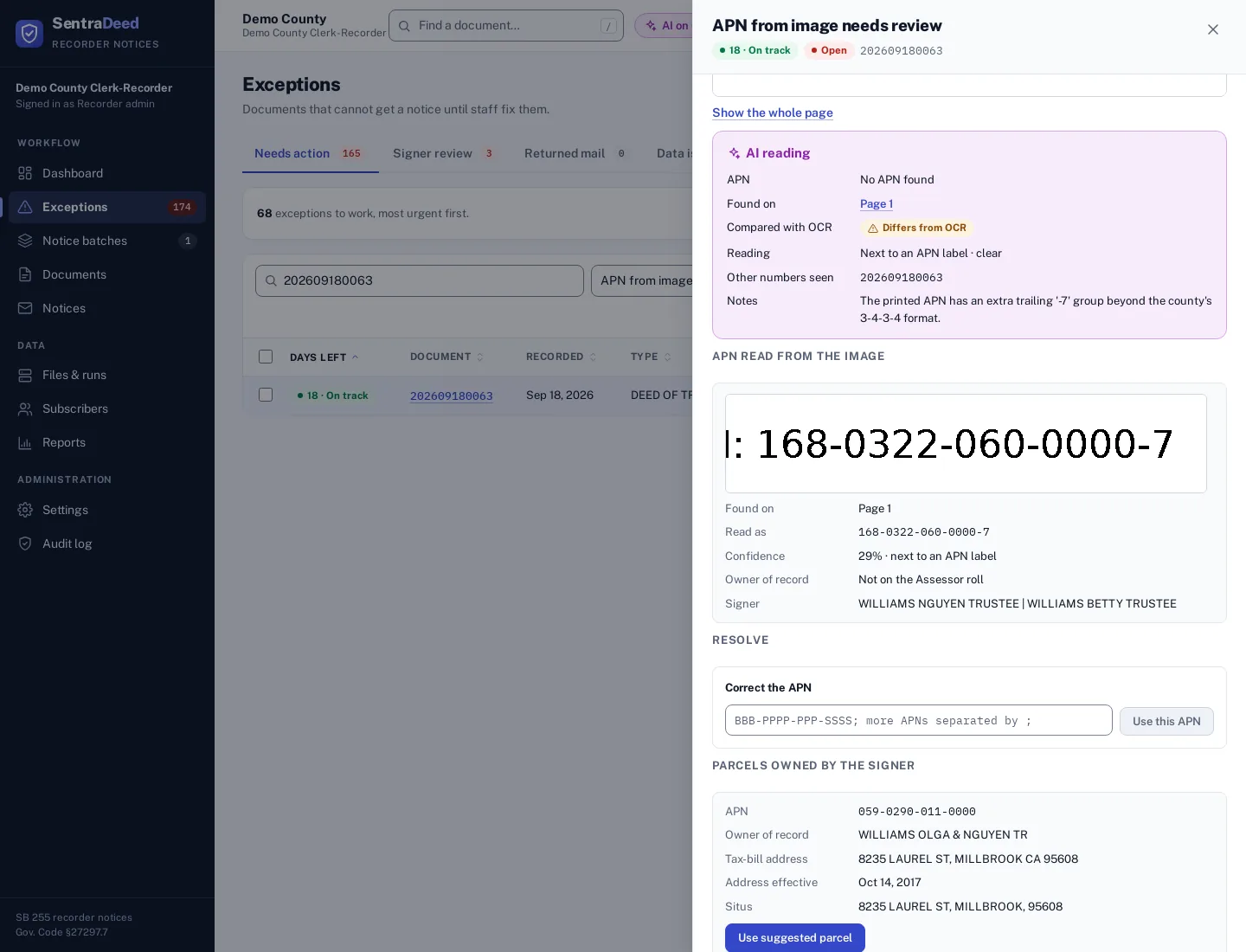
When AI and OCR disagree
On a malformed APN the AI does not force a match: it reports that the printed number doesn’t fit the county’s format, and the item stays with staff.
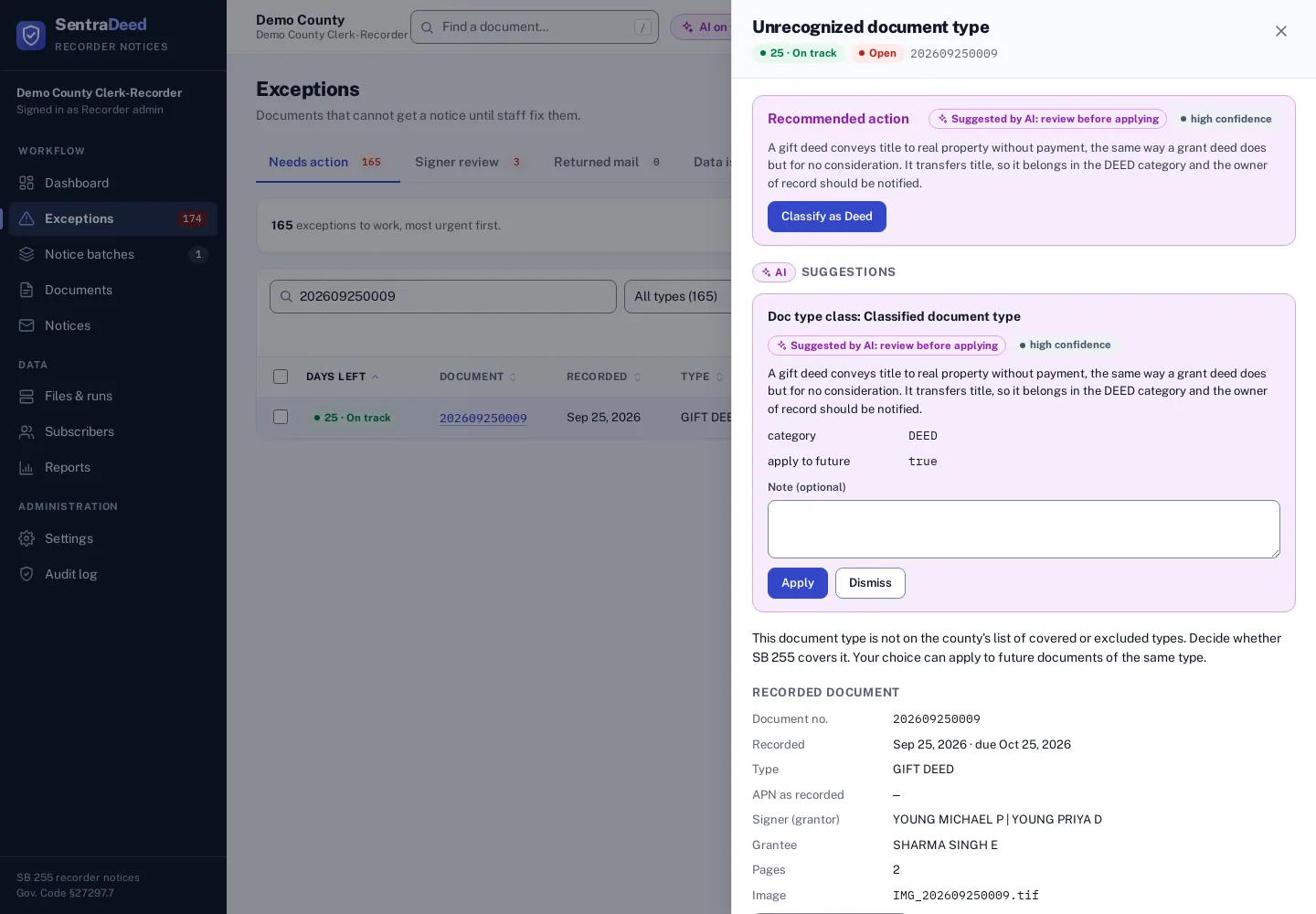
Copilot: classify a new document type
The copilot suggests how to classify a document type the county hasn’t mapped yet, with its reasoning. Staff apply or dismiss it.
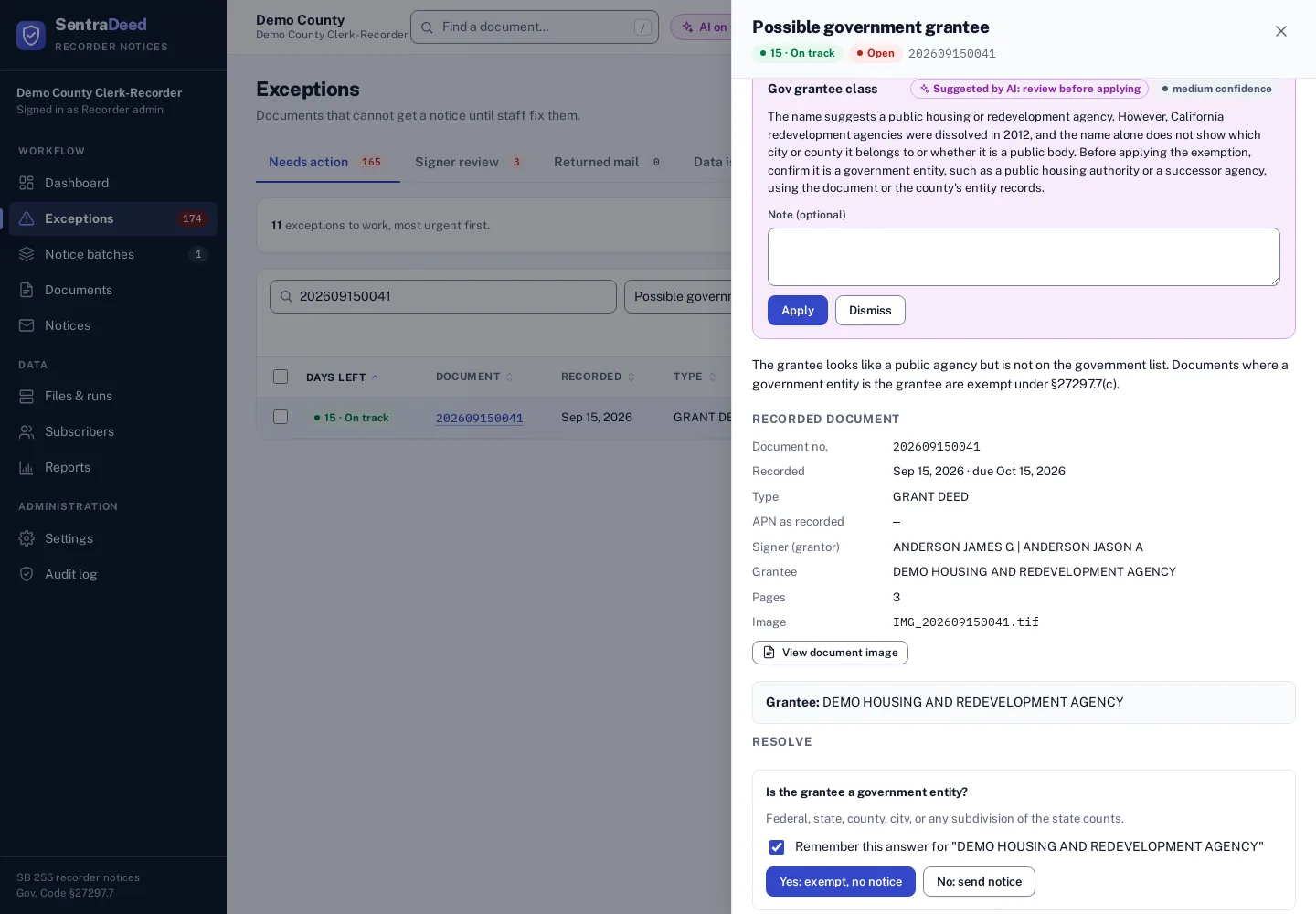
Copilot: check before exempting
For an uncertain grantee, the copilot explains what to verify before treating it as a government entity; the exemption is never applied automatically.
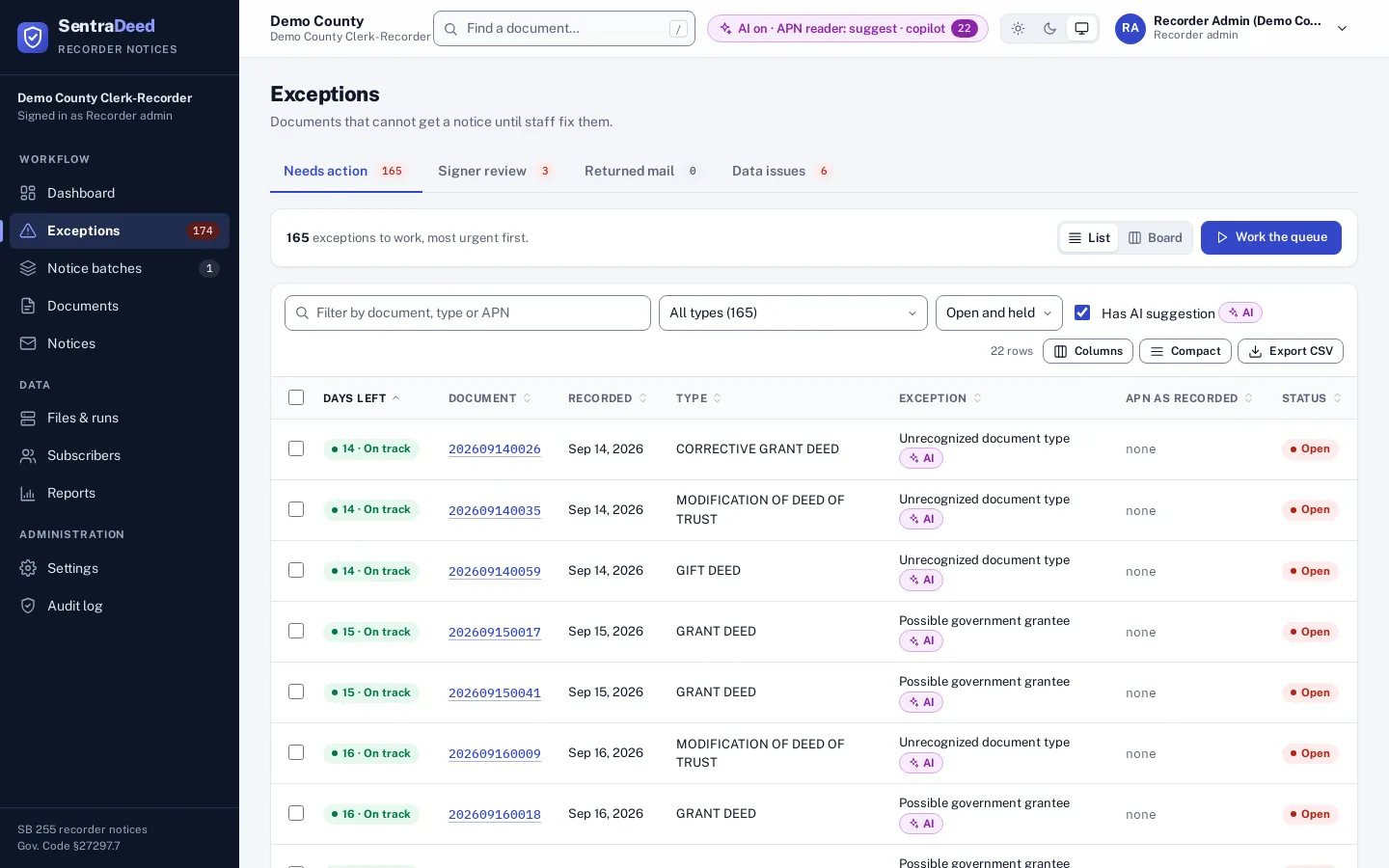
Find the items with suggestions
Filter the queue to items that have an AI suggestion, or spot them by the AI badge in the list and on the board.
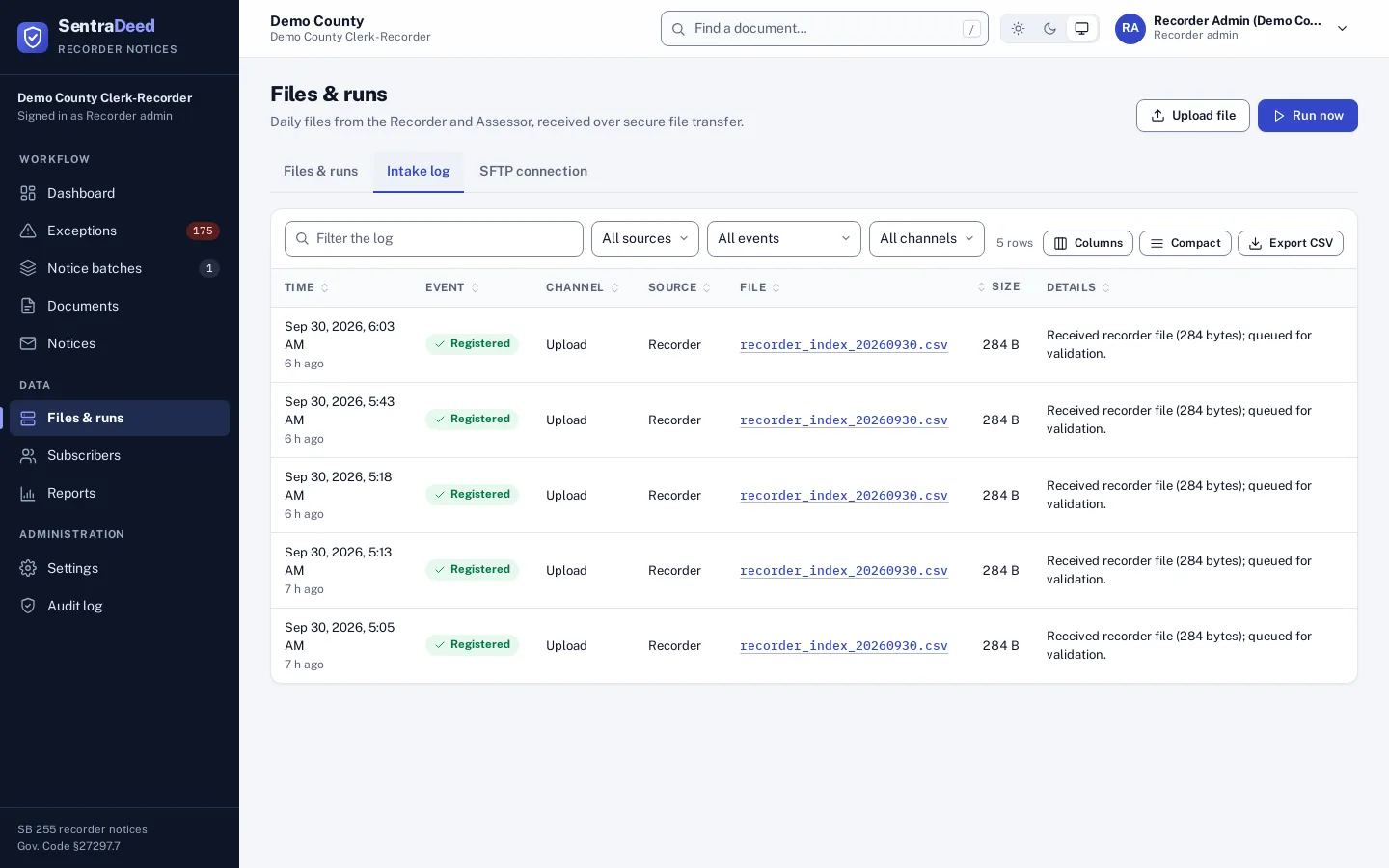
See every file that arrived
The intake log shows what the system saw and when: each file found by SFTP or uploaded, and what happened to it. While files are processing, a progress indicator appears in the top bar.
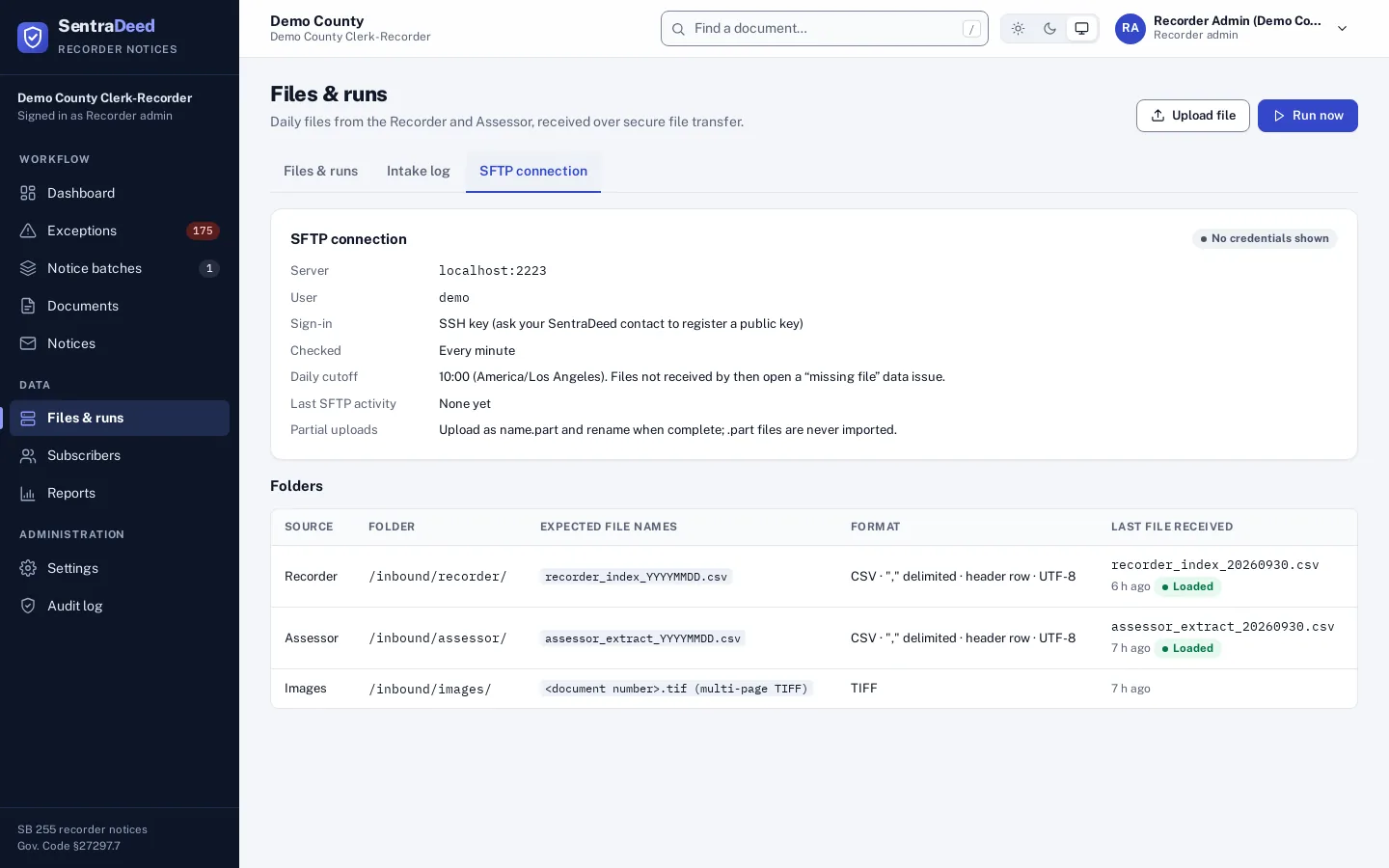
The county’s folders in one place
Staff see the county’s SFTP folders, the expected file names and when each file last arrived. No credentials are shown.
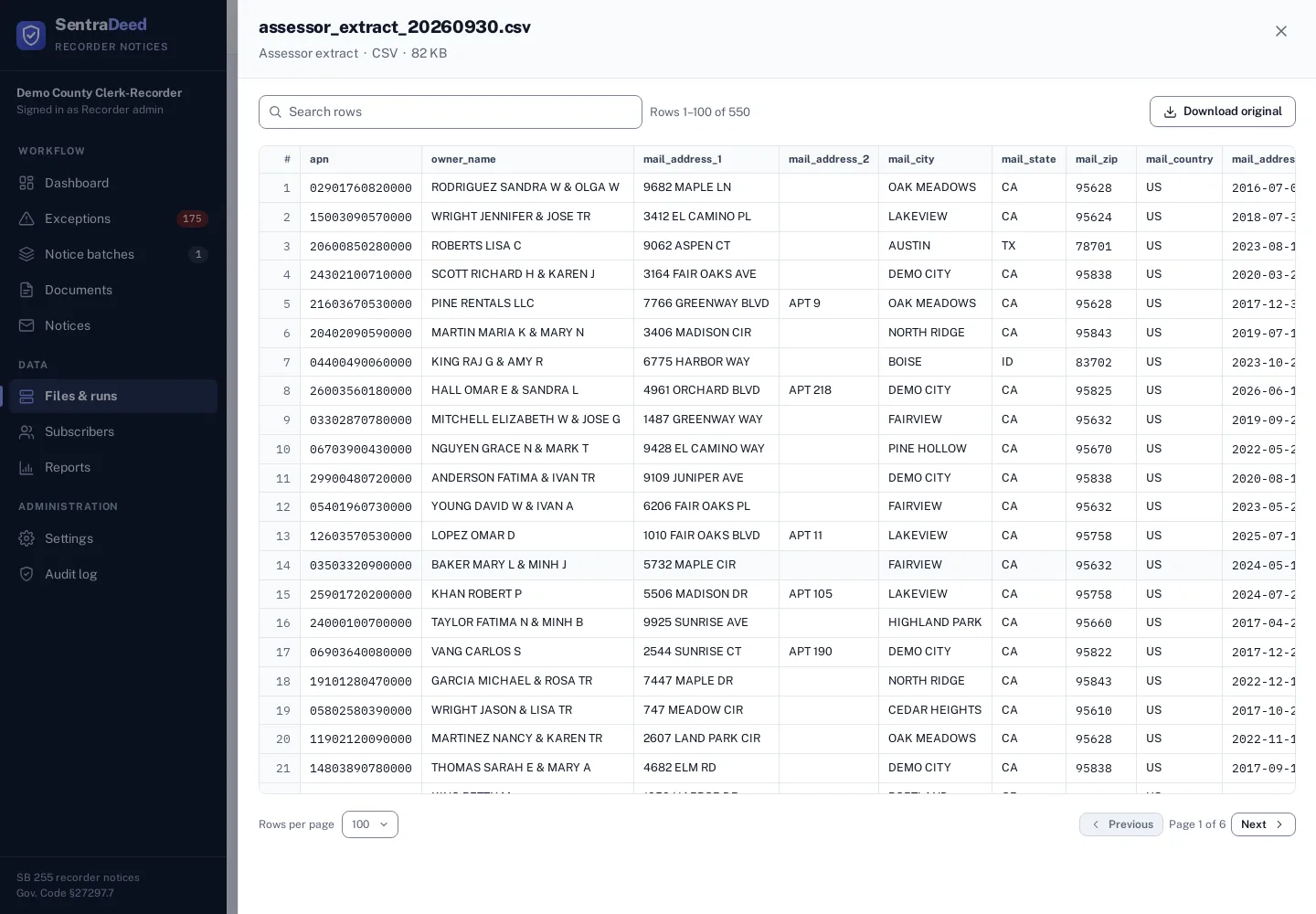
Open any received file
A received CSV opens as a searchable table, so staff can check exactly what an office sent.
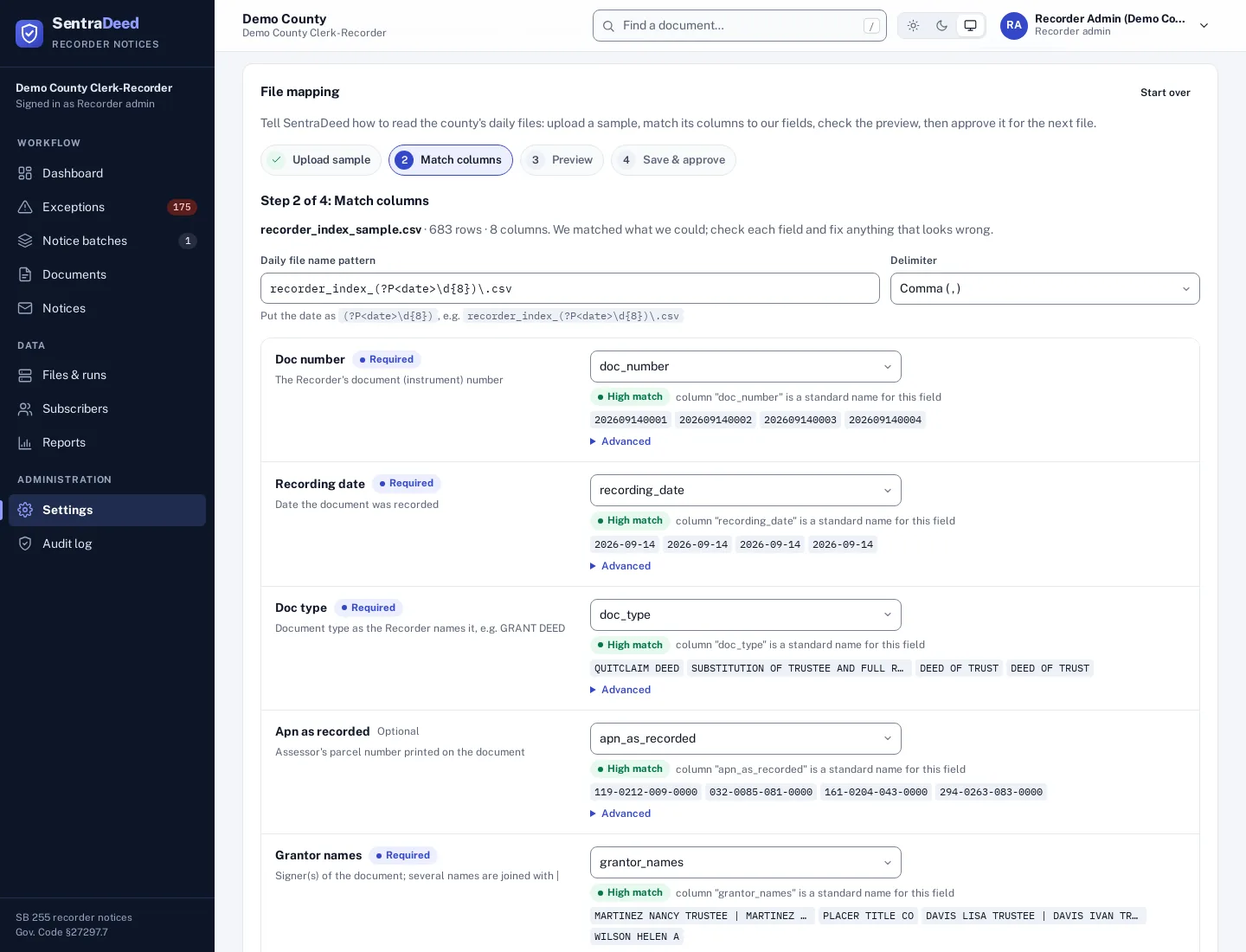
Map a county’s file layout once
At onboarding, a sample file is uploaded and its columns are matched to SentraDeed fields, with suggestions and sample values. Staff check a preview, then save and approve.
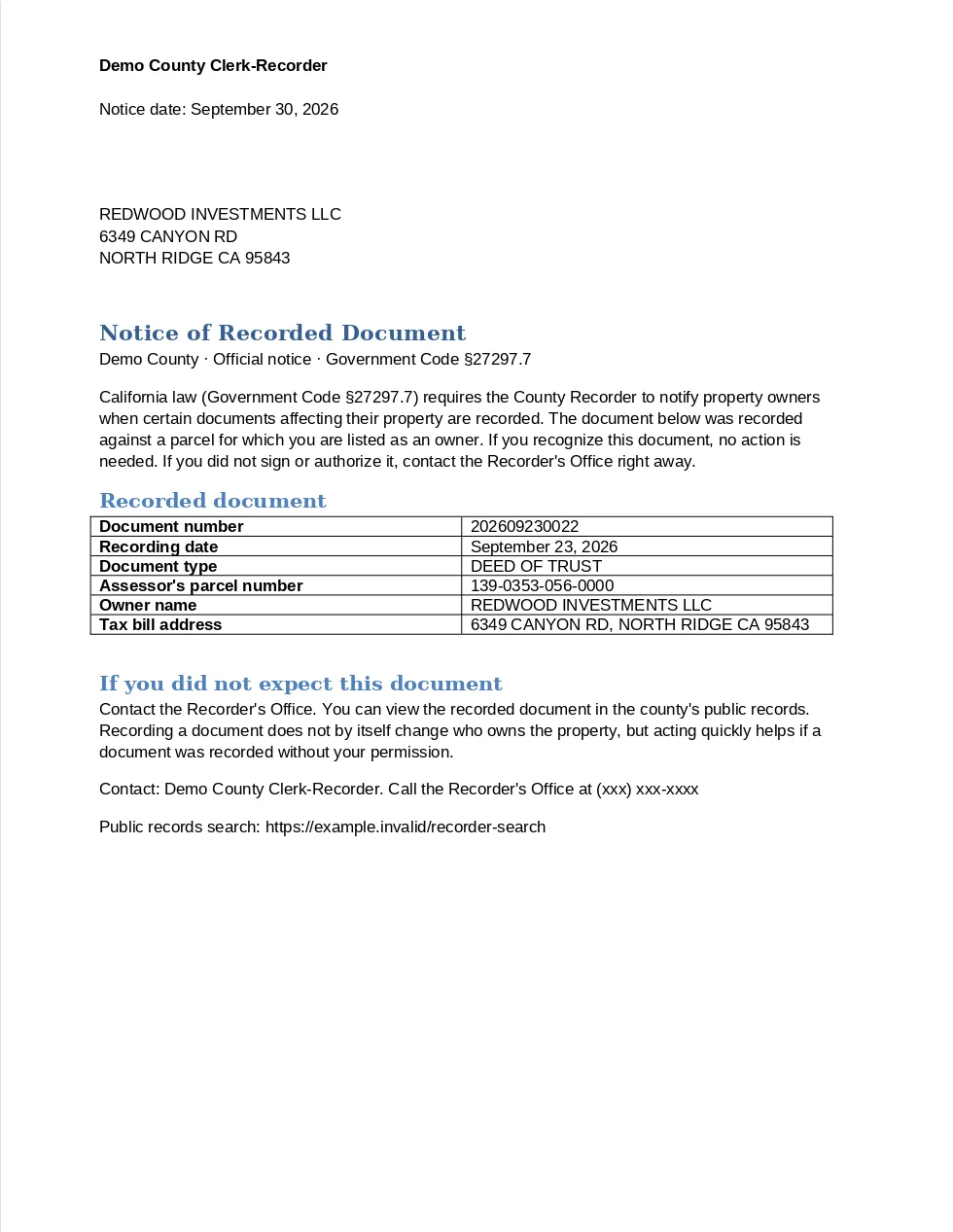
An accessible notice from your template
Each notice is rendered from the county’s own Word template or fillable PDF and sent to the tax-bill address established before recording. The address block sits in the window of a #10 envelope.
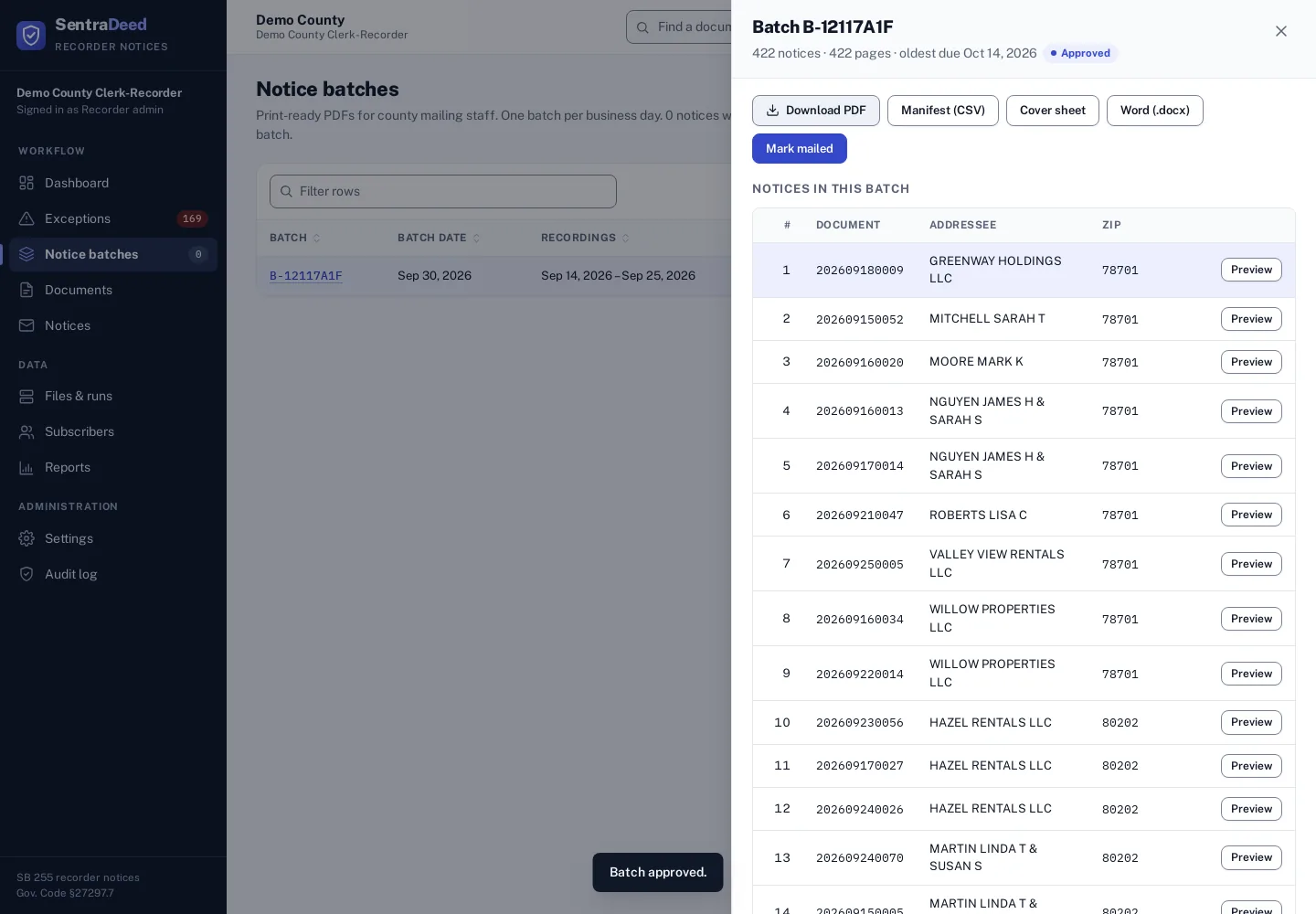
A print-ready batch, mailed by the county
Pending notices are gathered into one print-ready batch per business day. Staff approve it and download the combined PDF, the mail-house manifest and a cover sheet. County staff or the county’s mail house print and mail it, then mark it mailed.
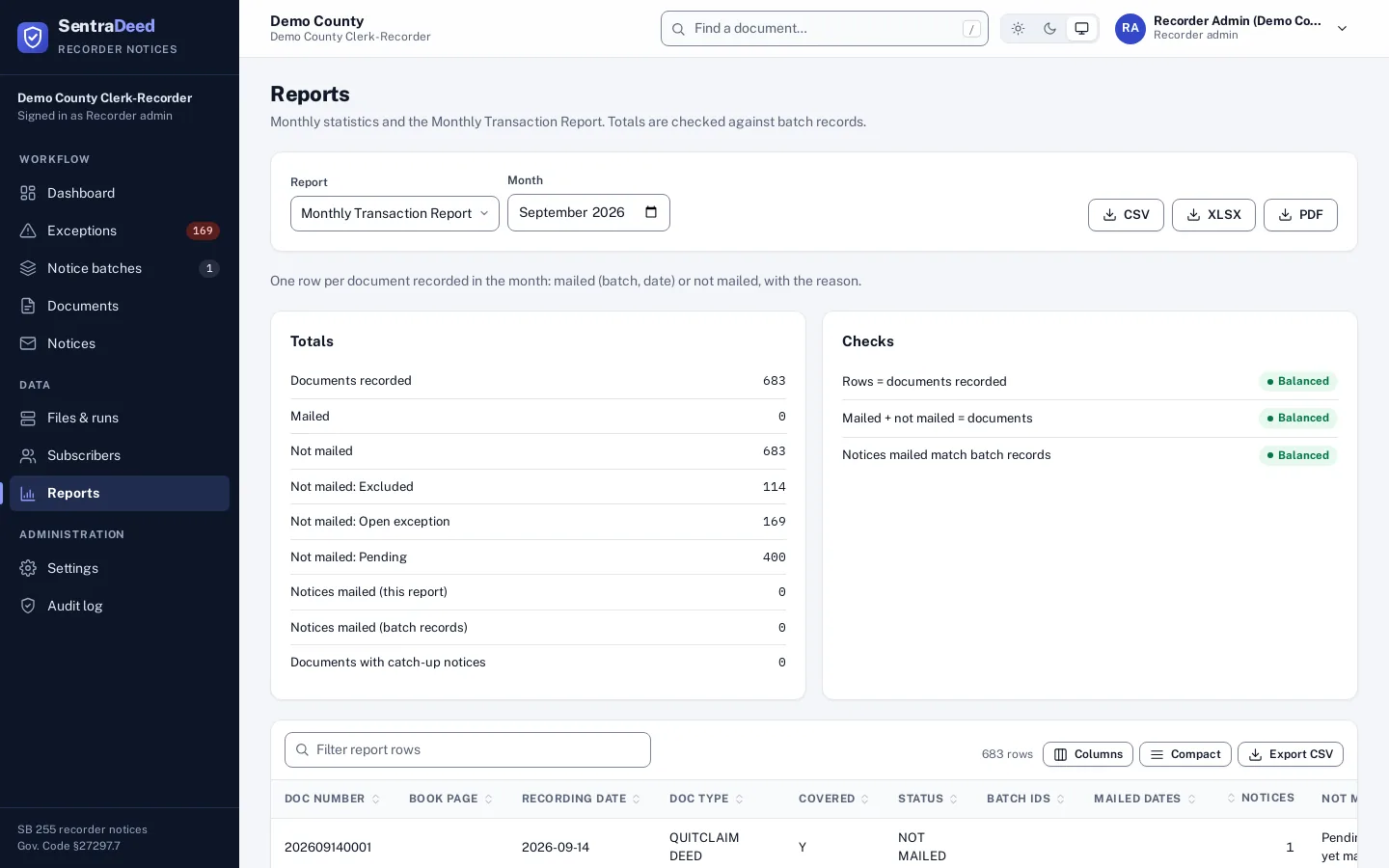
Prove it at month end
Monthly statistics and a monthly transaction report show every recorded document with its recording and mailing dates, checked against batch records.
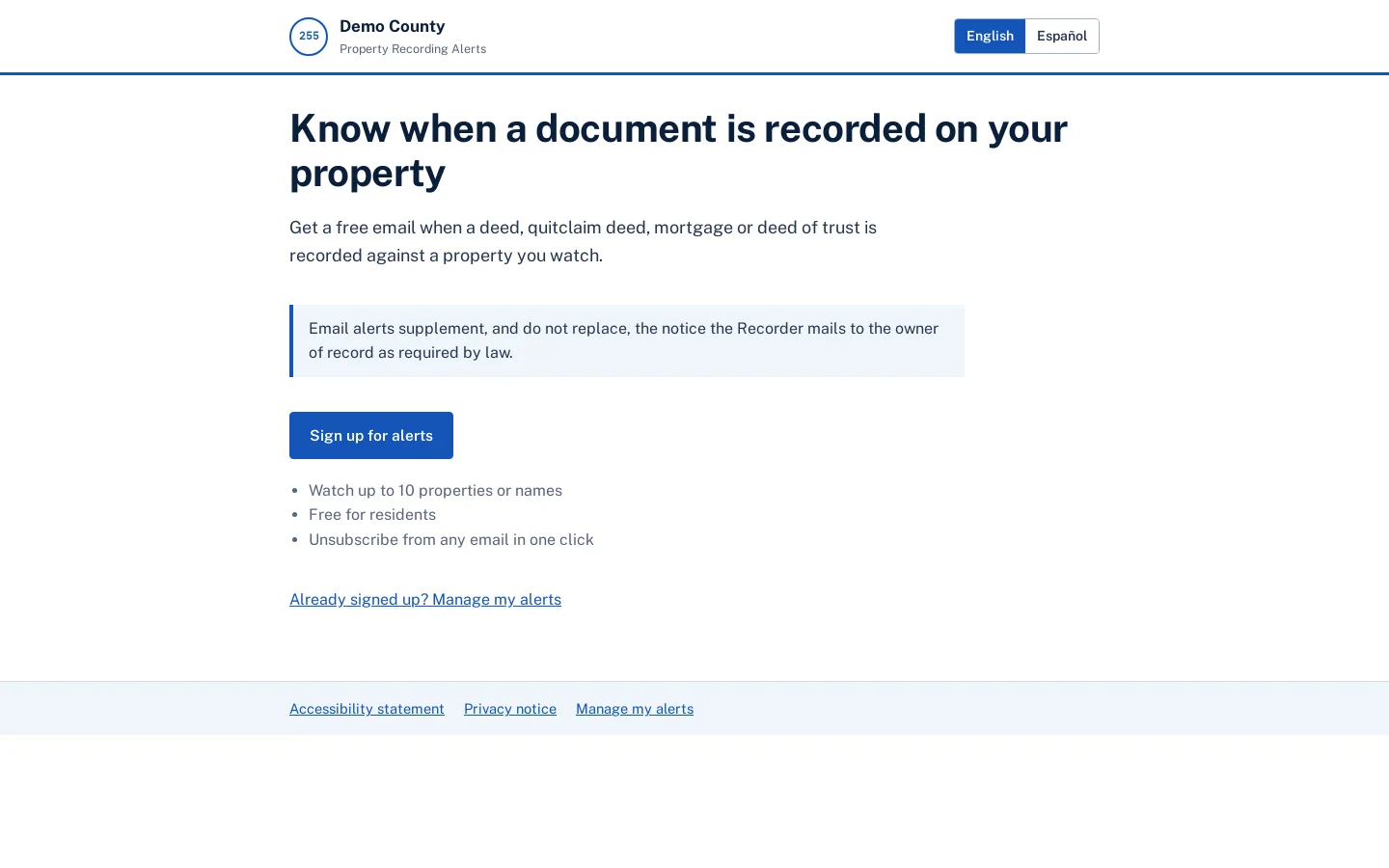
Free alerts for residents
The optional electronic notification program under §27297.7(b)(3). Email alerts supplement, and do not replace, the notice the county mails.
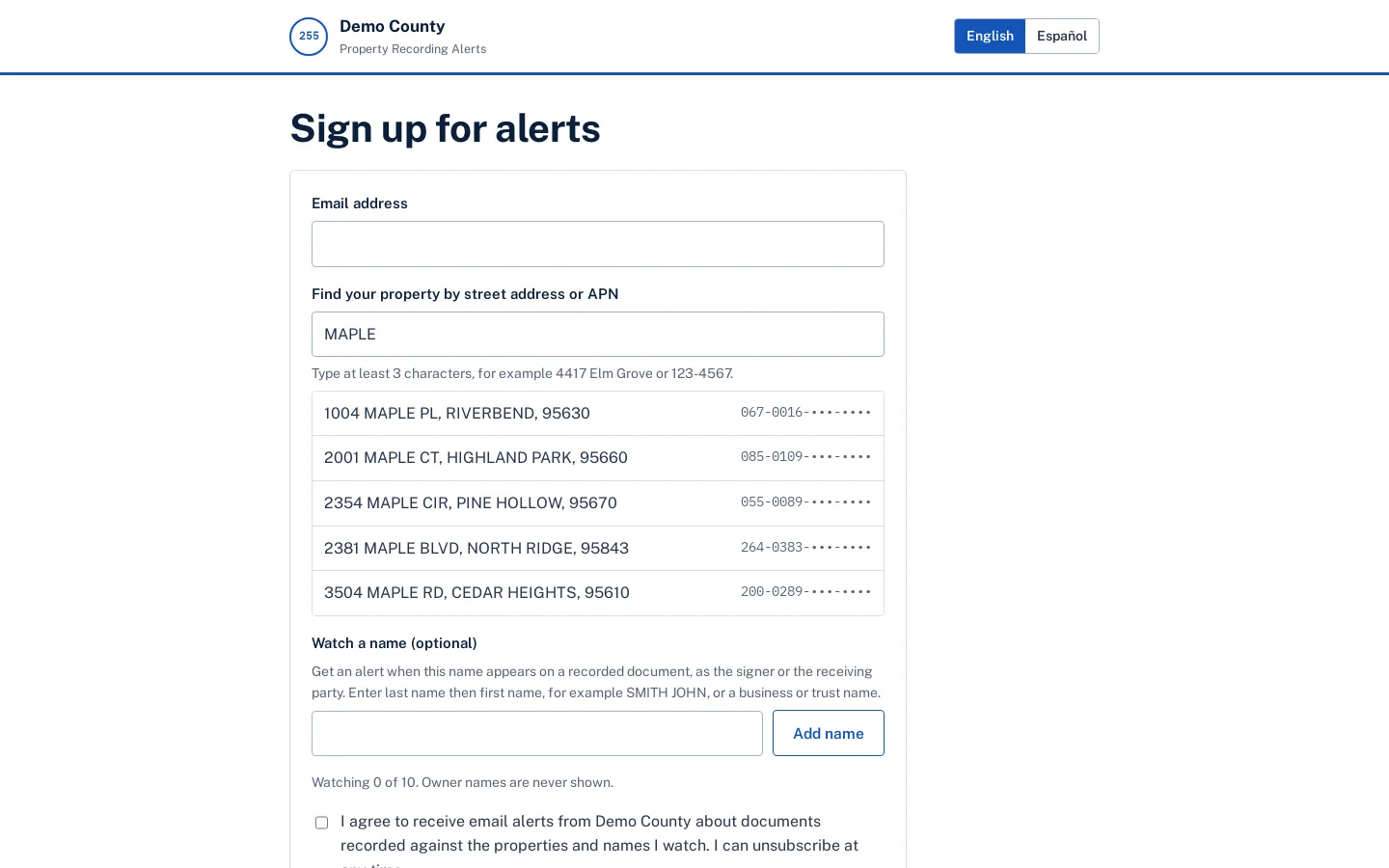
Watch properties and names
Residents watch up to 10 parcels or names. Property alerts are sent only after the APN is confirmed; name alerts go out the day the Recorder index loads.